
Guide
Auto mode
Overnight, PawOS looks for people who are due and queues drafts. You still approve every send.
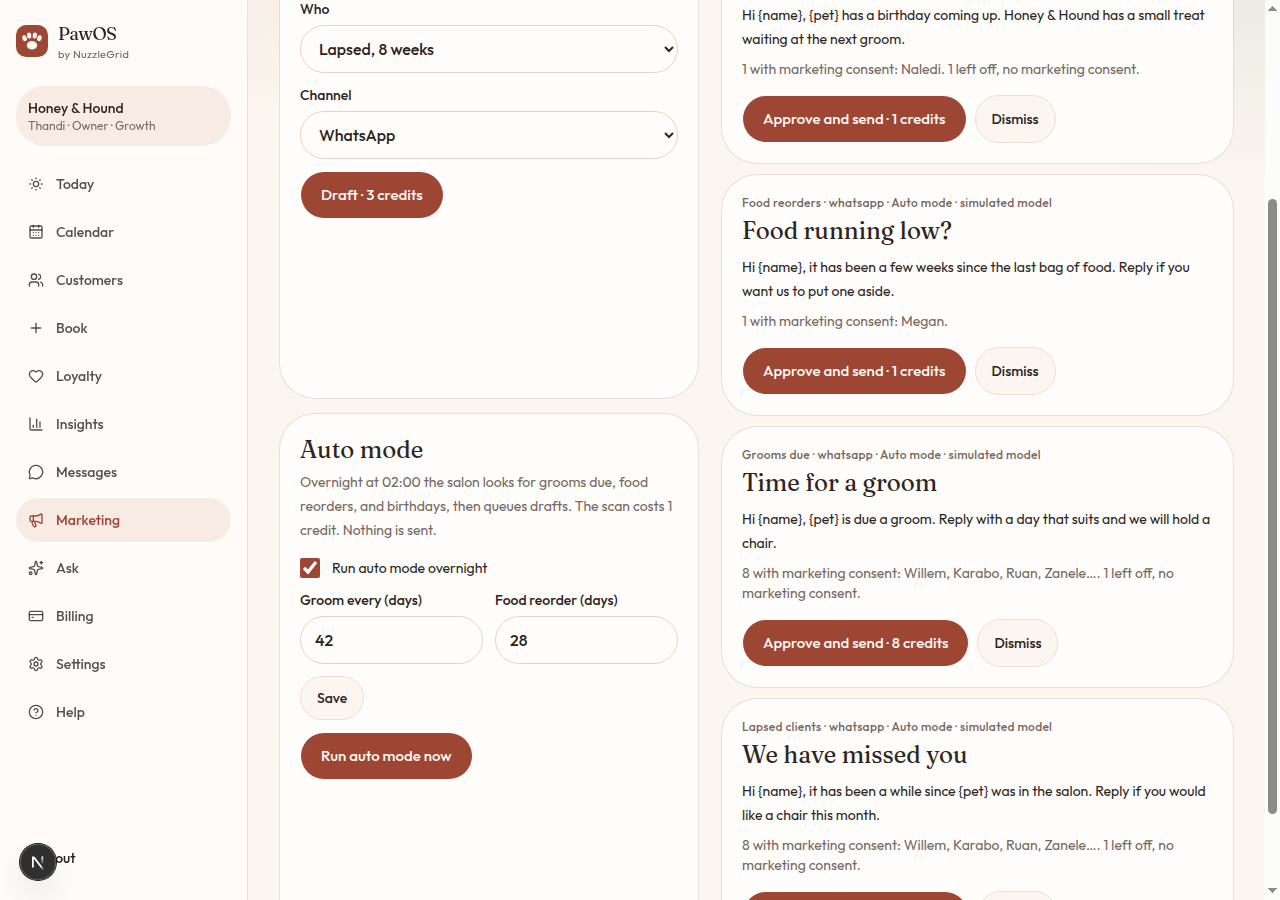
Step 1
What the night run does
At 02:00 salon time, auto mode looks for grooms due, food that may need a reorder, and birthdays. It writes drafts on your reminder channel. The scan costs 1 credit. It does not send.
Step 2
Set the gaps
Groom every (days) is how long after a groom you want a nudge. The starting point is 42 days. Food reorder (days) starts at 28. Tap Save.
Step 3
Turn it off, or run it now
Untick Run auto mode overnight and tap Save to stop the night run. Run auto mode now does the same check immediately, still as drafts only.