
Guide
Marketing drafts and approval
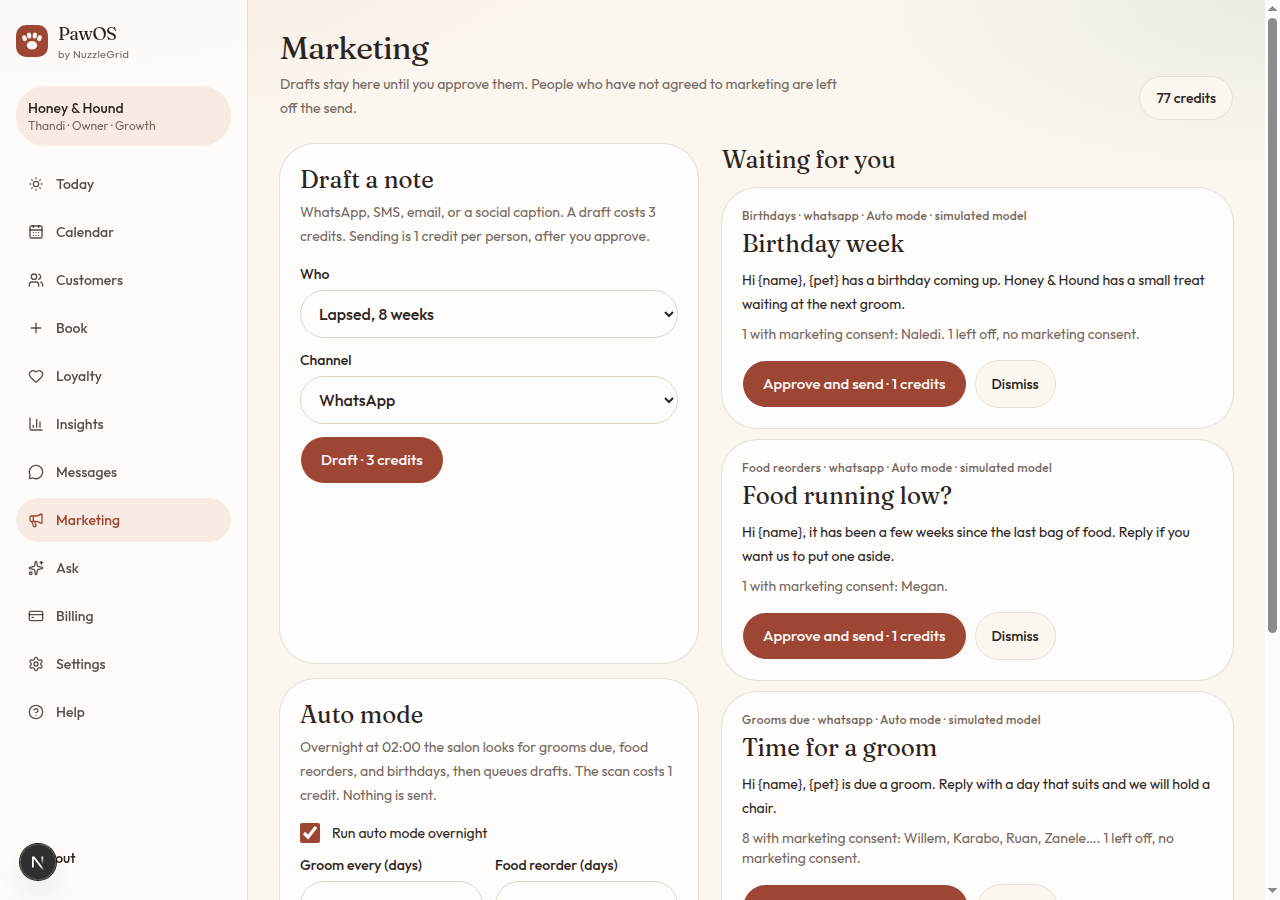
PawOS can write a note. It does not send it until you approve. People who have not agreed to marketing are left off.
Step 1
Draft a note
Open Marketing. Choose who: lapsed clients (8 weeks), grooms due, birthdays this week, or food reorders. Choose WhatsApp, SMS, email, or a social caption. Tap Draft. A draft costs 3 credits.
Step 2
Read who is included
The draft lists people with marketing consent. Anyone without consent is counted as left off. Check the wording. {name} and {pet} are filled in for each person when it sends.
Step 3
Approve, or dismiss
Approve and send queues one message per included person and spends 1 credit each. Approve caption only saves a social post for you to copy. It is not posted for you. Dismiss drops the draft.
Step 4
Nothing sends in the background
If you do not tap Approve, nobody is contacted. A social caption is never delivered as a WhatsApp.