
Guide
POPIA consent, export and deletion
You keep client information so you can groom their pets. POPIA means you store it with consent, and you can hand it over or delete it.
Step 1
Two kinds of consent
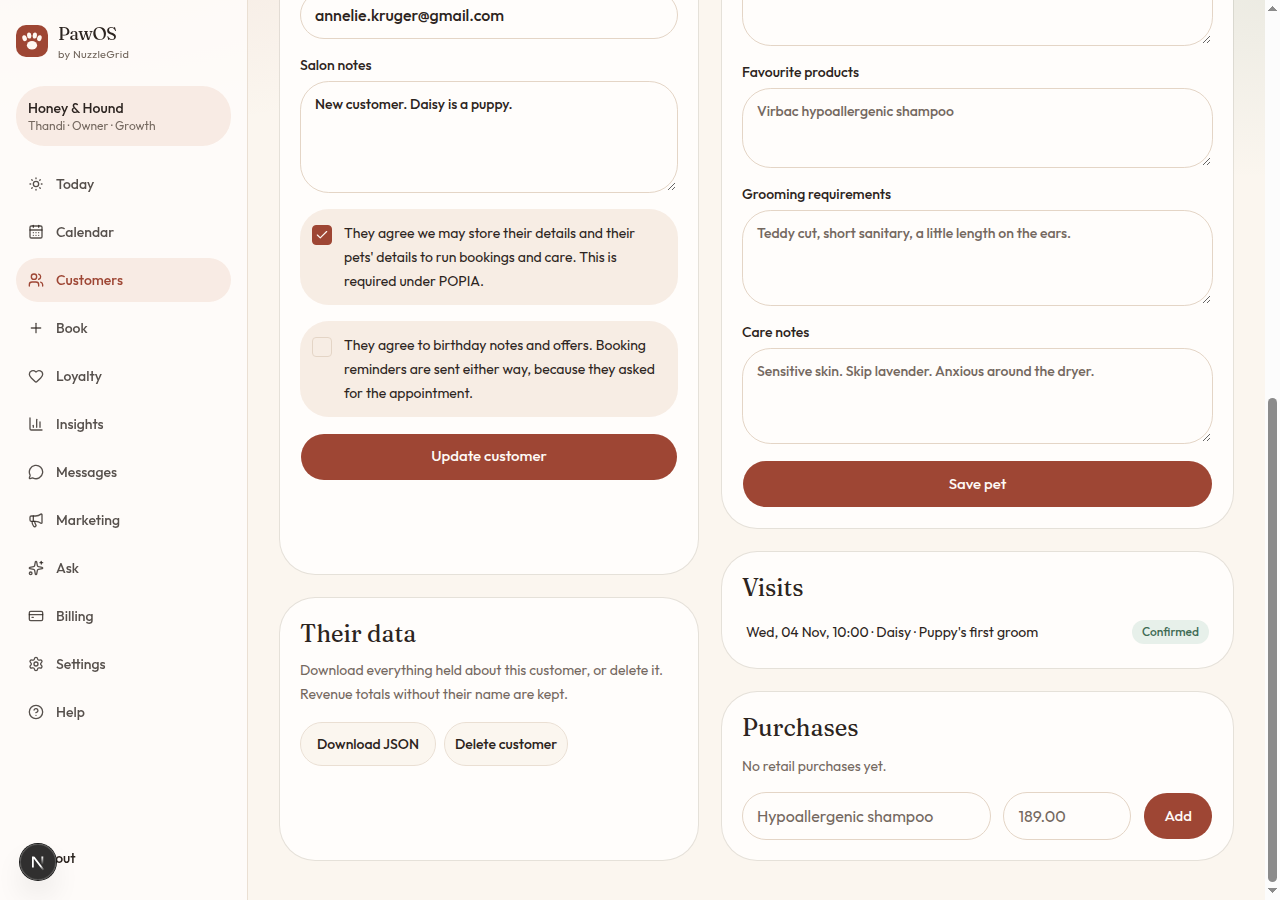
Processing consent is required to save the client. It covers the booking and the pet's care notes. Marketing consent is separate and optional. Without it, they still get reminders for bookings they asked for, and they are left off offers.
Step 2
Change your mind later
Open the client, update the ticks under Details, and tap Update customer. Marketing drafts after that will follow the new tick.
Step 3
Download their file
On the client page, under Their data, tap Download JSON. You get one file for that person: their details, pets, bookings, purchases and loyalty. Passwords are not in it. Forward the file if they ask for a copy of what you hold.
Step 4
Delete their file
Tap Delete customer, then Delete their data. Their name, pets and visits are removed. Revenue totals for the salon stay, without their name. Only the owner can do this.