
Guide
VAT invoices
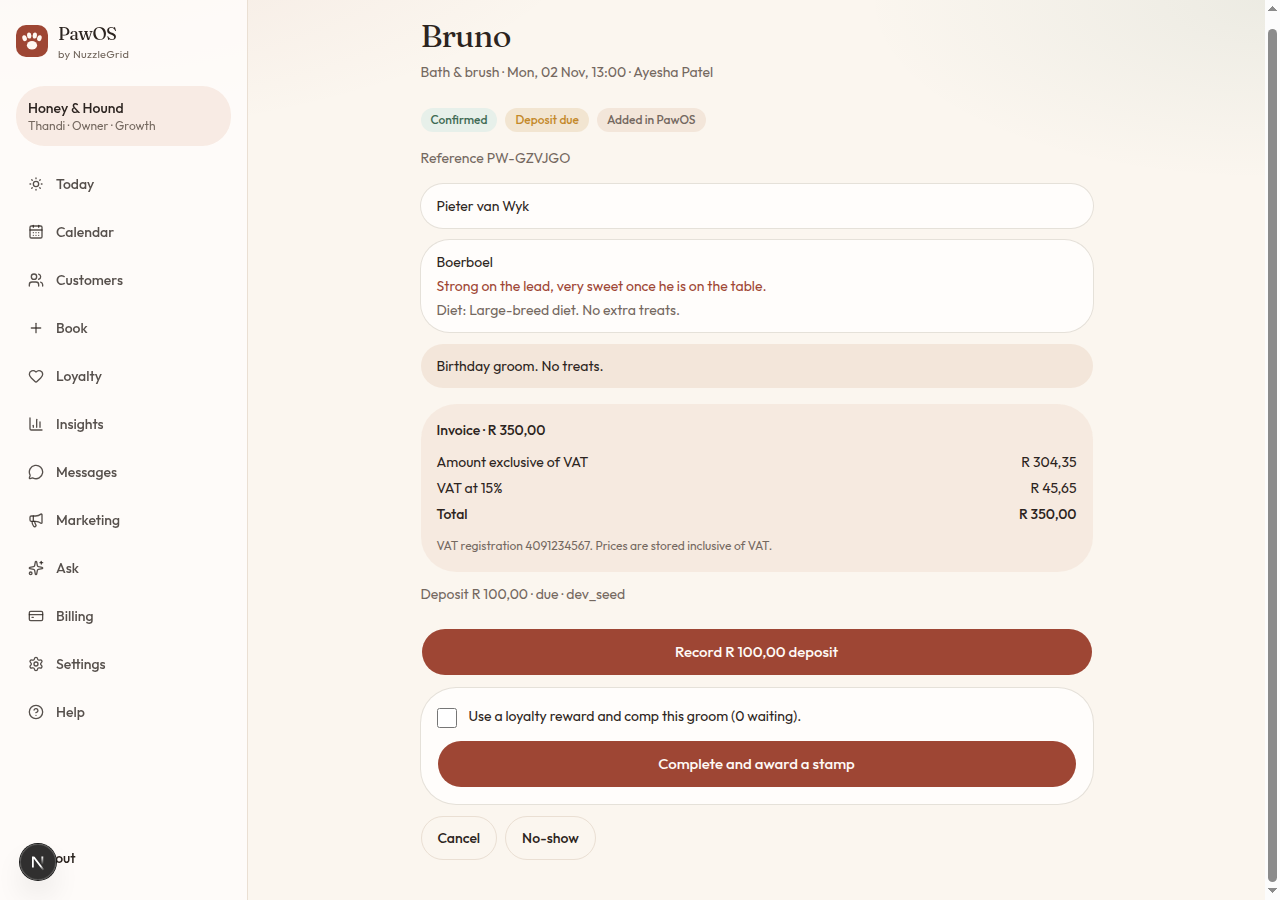
Prices in PawOS already include VAT at 15%. The invoice splits that out.
Step 1
Add your VAT number
In Settings, enter the 10-digit VAT number and tap Save salon. Until it is there, PawOS still shows the 15% split, and it tells you to add the number before you treat the page as a tax invoice.
Step 2
Read a visit invoice
Open the booking. Under the price you will see the amount exclusive of VAT, VAT at 15%, and the total. The total is the price you already charge.
Step 3
Month and credit bundles
Insights shows the same split for this month's revenue. The Credits page shows the split on a bundle. Plan prices on Billing are VAT inclusive as well.