
Guide
Adding a booking
Bookings land on the diary and on Today. You can add one yourself, or a client can use the public link.
Step 1
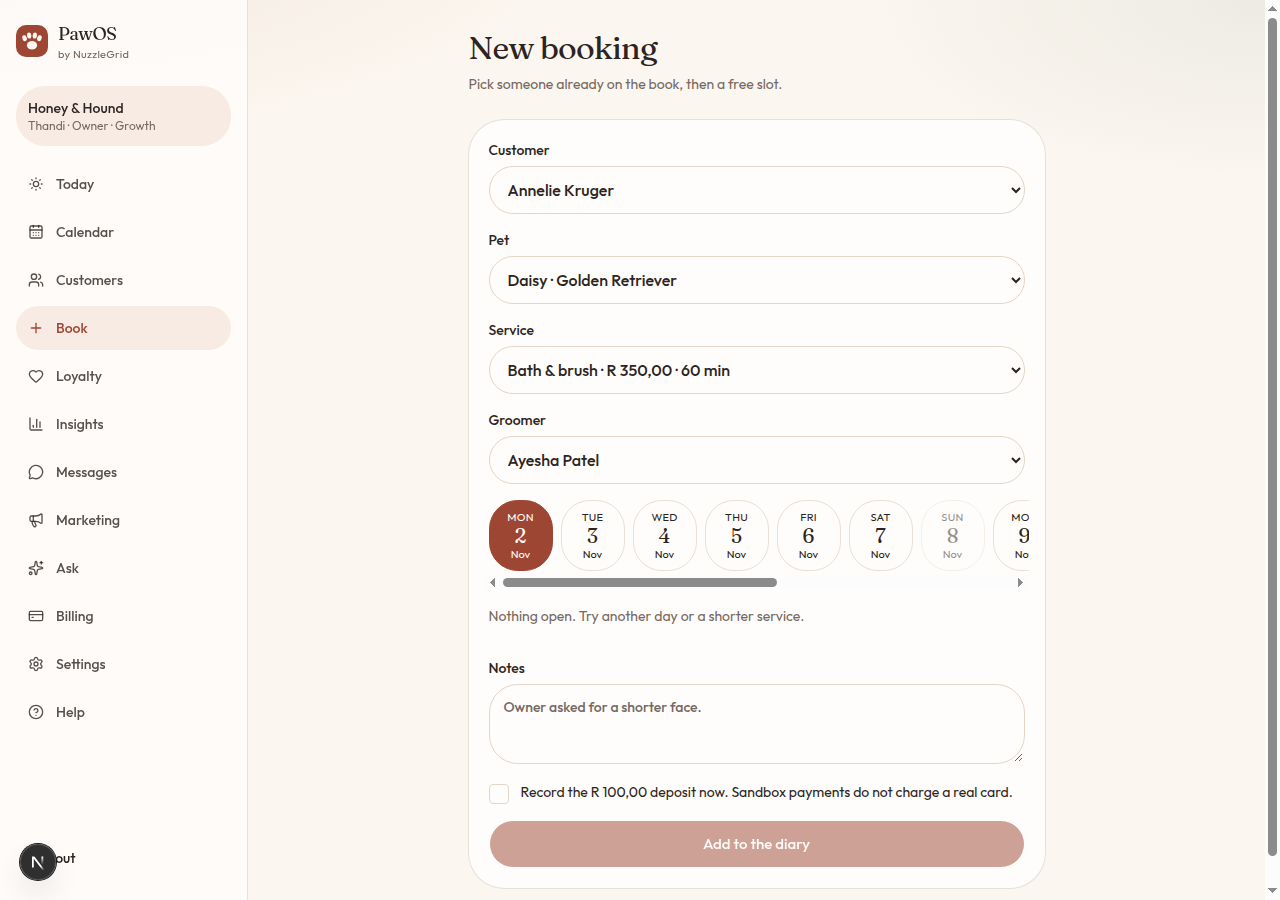
Start the booking
Tap Book. Choose the customer, then the pet. If the pet list is empty, go back to the client and add the pet first.
Step 2
Pick the service and the groomer
The service sets the price, the minutes and any deposit. Choose a groomer, or First available if any chair will do.
Step 3
Pick a day and a time
Tap a day, then a free time. Taken times are not offered. Add a note if the owner asked for something specific, such as a shorter face.
Step 4
Deposit, if there is one
If the service has a deposit, you can tick Record the deposit now. This version does not charge a real card. It only marks the deposit as paid in the diary.
Step 5
Save it
Tap Add to the diary. The visit shows on Today and on Calendar. Open it for the reference number, the invoice split, and the buttons to finish or cancel.