
Guide
The public booking link
Clients book in their own browser. They do not need PawOS on their phone.
Step 1
Copy the link
Open Settings. The booking link is at the top. Tap Copy link. It looks like your site address with /book/ and your salon name.
Step 2
Send it on WhatsApp
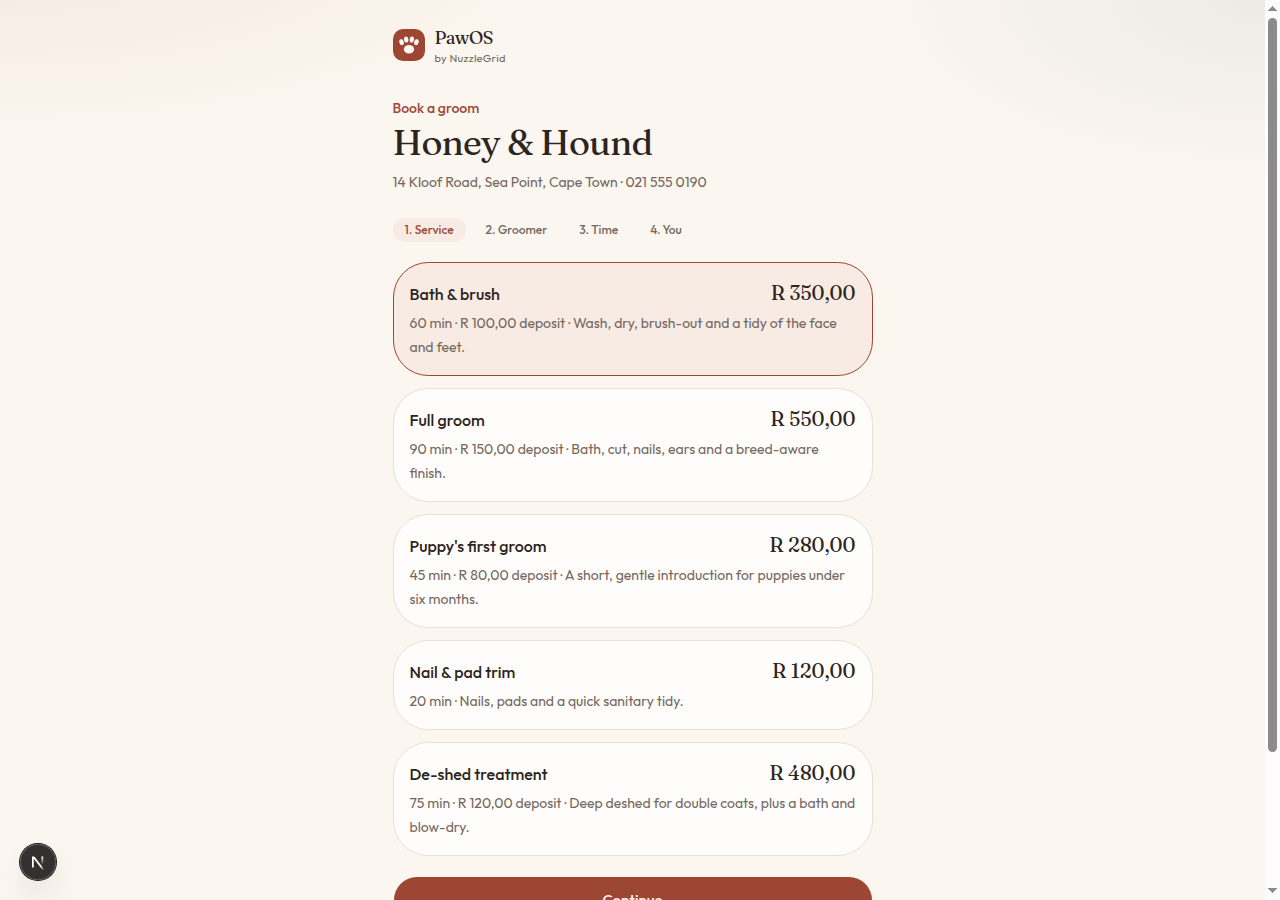
Open WhatsApp, choose the client or your status, paste the link and send. A short line is enough: Book a groom here. They tap the link, pick a service, a groomer, a time, and their details.
Step 3
What they see
Your salon name, the services you have not paused, and open times. If you required a deposit, the page asks for it. The visit then appears on your diary as a public booking.
Step 4
Turn the page off
In Settings, untick Accept online bookings and tap Save salon. The link stays, but new visits will not be taken until you tick it again.