
Guide
A client and their pet
A client is the person who pays. The pet is who sits on the table. You need both before you can book.
Step 1
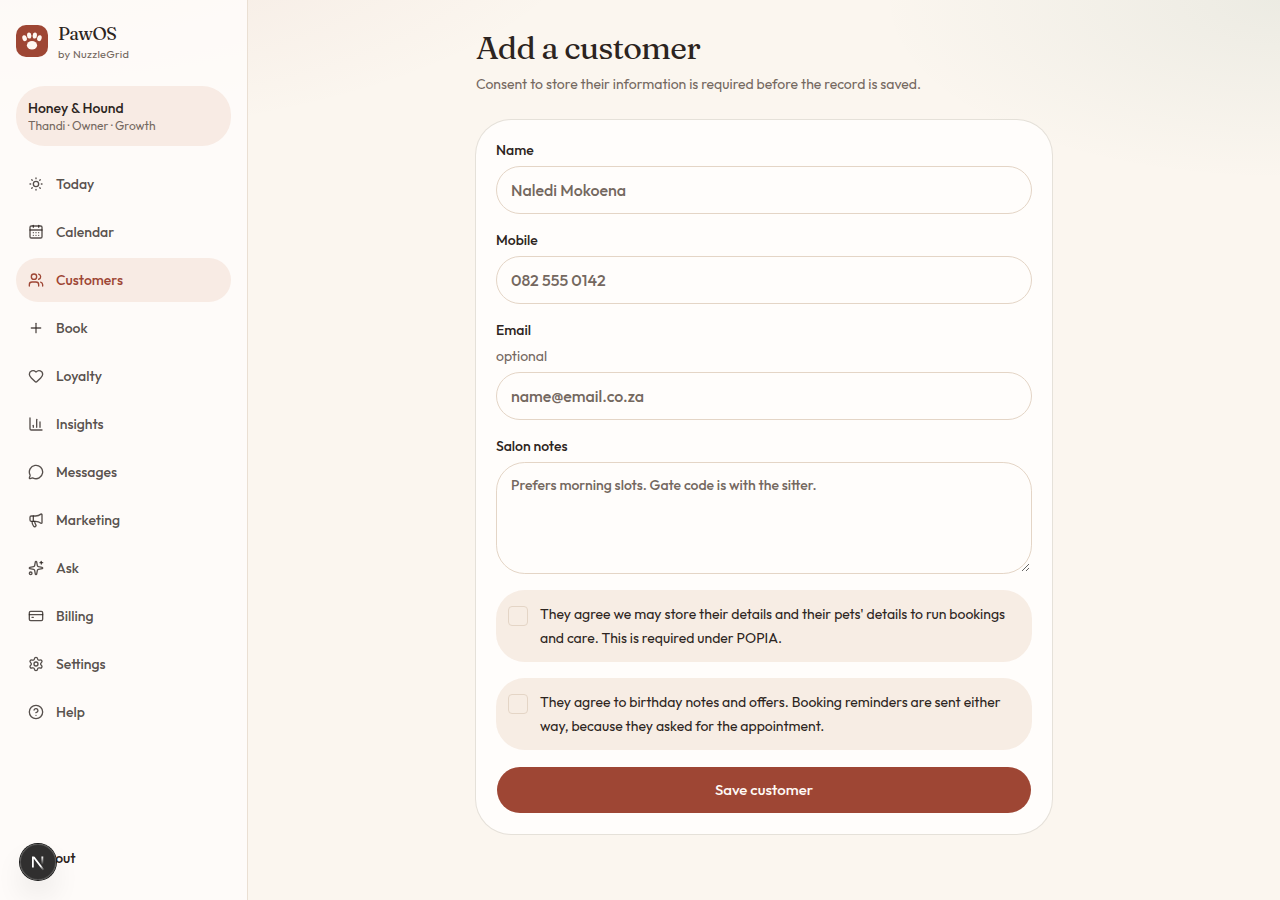
Add the client
Open Customers, then Add customer. Enter their name and South African mobile. Email is optional. Salon notes are for you, such as a gate code or a preferred morning.
Step 2
Tick the consent boxes
The first box is required. It means they agree you may store their details and the pet's details so you can run the booking and the care. The second box is optional. It means they agree to birthday notes and offers. Reminders for a booking they asked for still go out without that second box.
Step 3
Save, then add the pet
Tap Save customer. On their page, under Pets, add the pet's name, species, breed, sex, birthday and weight. Dietary needs, favourite products, grooming requirements and care notes sit with the pet, not the person.
Step 4
Save the pet
Tap Save pet. Open the pet's name later to change the notes. Care notes show on the booking so the groomer sees them before the bath.